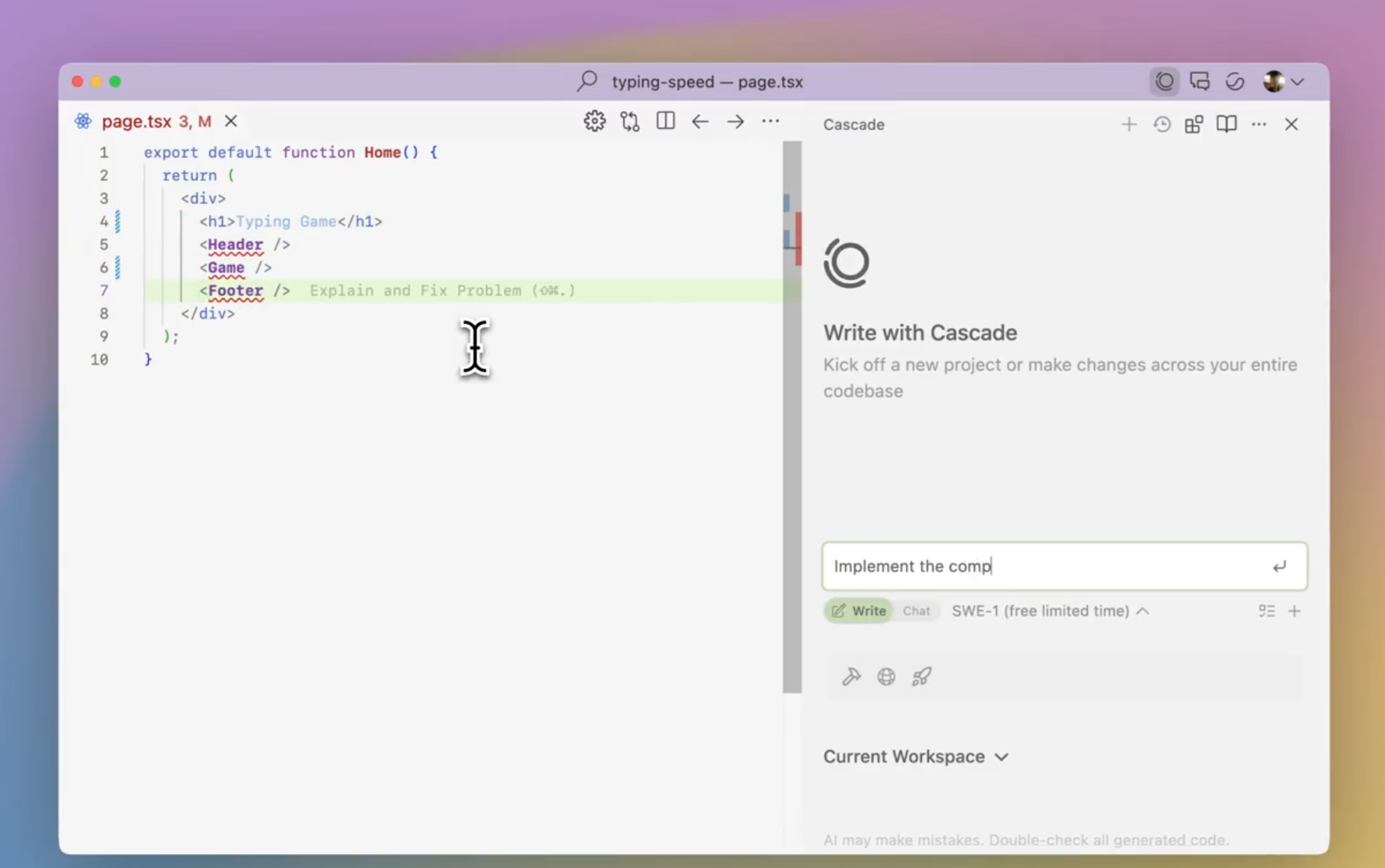
Windsurf is an AI-native code editor (the Windsurf Editor) that combines local and cloud agents — Cascade for deep codebase context and Devin for autonomous cloud tasks — to speed development workflows. It offers instant previews, rich integrations (MCP), a plugin store, linter integration and team/enterprise features like SSO and RBAC. It’s built for individual developers, teams, and enterprises who want to reduce boilerplate work, automate testing and reviews, and stay in a single flow while shipping production code.
Windsurf Editor: The AI-native IDE for modern software teams
Windsurf brings together a fully AI-powered workflow inside a single, flow-friendly editor. Built from the ground up to understand software development, Windsurf blends human coding with autonomous AI agents, real-time context, and collaborative tooling to help you ship faster without losing focus.
What makes Windsurf unique
- One editor, unlimited power: The Windsurf Editor combines code, AI-assisted workflow, previews, and integrations in a single environment designed to keep you in flow state.
- Agent-driven productivity: Devin, our autonomous cloud agent, handles complex tasks like debugging, testing, and deployment so you can keep coding. Cascade, Tab, and MCP extend context, navigation, and tool access right inside the IDE.
- Full contextual awareness: Run Cascade on production-like codebases and get relevant, actionable suggestions that stay aligned with your project’s state.
- Live previews in the IDE: Windsurf Previews let you see your website live and reshape it directly from the editor, speeding up design-to-ship cycles.
- Smart navigation and coding aids: Tab to Jump predicts cursor motion, codelenses surface refactor options with a click, and inline commands let you generate or refine code using natural language.
- Auto-refinement and quality: Linter integrations automatically fix issues and keep code clean as you work.
Core components and capabilities
- Windsurf Editor: The AI-native IDE that understands software development, adapts to your workflow, and acts as your pair programmer.
- Cascade: A deep codebase understanding layer that provides robust, real-time assistance across your project. It supports complex refactors, live previews, and contextual suggestions.
- Devin: The autonomous cloud agent you delegate tasks to. Devin runs on its own machine, spinning up workspaces when you need them and letting you stay focused on writing code.
- Agent Command Center: A Kanban-style dashboard where you manage local Cascade sessions and cloud Devin sessions in one place.
- Spaces: Bundle agent sessions, PRs, files, and shared context around a single task so you never lose your place.
- Tab: Jump between important locations in your codebase with a single keystroke for faster navigation.
- Model Context Protocol (MCP): Connect to custom tools and services to optimize AI workflows.
- Linter Integration: Cascade generates or edits code and auto-fixes lint errors to keep quality high.
- Previews and live websites: See and shape live web previews inside the IDE, making design tweaks fast and visible.
- Plugins and extensibility: JetBrains IDE integration, a rich plugin ecosystem, and support for popular tools and services to fit your stack.
Plans, security, and enterprise
- Flexible plans: Free, Pro, Max, Teams, and Enterprise options with centralized billing and admin tooling.
- Security and governance: SSO and advanced access control features, RBAC, and enterprise-grade security designed for organizations.
- Scale for teams and enterprises: Support for large teams, with usage controls, and deployment options to suit both individual developers and large organizations.
Why teams love Windsurf
- Code without context-switching: Everything you need is in a single environment, so you stay in flow and ship faster.
- AI that adds real value: The combination of Devin, Cascade, Tab, and MCP accelerates development, reduces boilerplate, and helps teams focus on creative work.
- Proven impact at scale: Windsurf powers millions of lines of AI-generated code daily, with thousands of enterprise customers and many Fortune 500 teams relying on its workflows.
Individual Plans ( Tiered )
Teams ( Per Seat )
Enterprise ( Request Quote )
I was skeptical about no-code but Bubble proved me wrong. I built a B2B client portal with complex permissions, Stripe billing, and real-time notifications. The learning curve is real — give yourself 2–3 weeks — but once it clicks, you're unstoppable. Performance has been solid at our scale.
Coming from Webflow, Bubble felt overwhelming at first. The editor UX isn't as polished, and performance on complex apps can feel sluggish. That said, nothing else lets you build a full database-driven app without code. The community forums are excellent — almost every problem has been solved by someone.
Used Bubble to ship our MVP in 6 weeks, which was genuinely impressive. But once we needed real capacity, the jump from Growth to Team ($29 to $529/mo) was brutal for a bootstrapped startup. The server unit model is also confusing to reason about. Would love a mid-tier option.
Real apps built with Bubble by the community. Click any card to see full details.
Bubble now suggests the next workflow action based on your current logic using an embedded AI assistant — dramatically speeds up building complex multi-step flows.
Completely redesigned responsive layout system with per-breakpoint controls. Existing apps auto-migrate with one-click. Mobile apps now build 3× faster.
Team plan subscribers can now create development branches, make changes in isolation, and merge them back — similar to Git branching. Long requested by professional teams.
Fixed significant performance degradation on apps with 1M+ rows caused by query planner regression. Apps now load 40–60% faster under heavy data loads.
Rebuilt plugin API with TypeScript support, better error handling, and a new sandbox testing environment. Developer documentation fully rewritten.