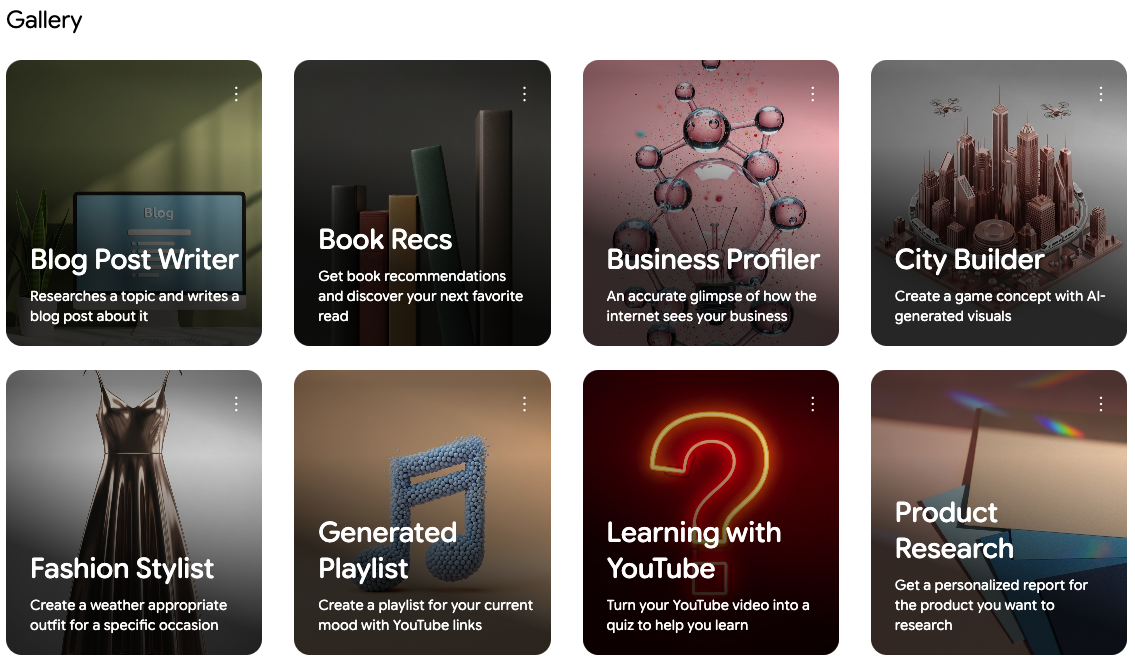
Opal (by Google) is a web-based no-code builder for creating AI-powered mini-apps. Using natural-language prompts or a visual editor, anyone can chain prompts, model calls, and tools into workflows, preview and debug with a console, store apps in Google Drive, and instantly share or publish them — all without writing code.
Opal: Build, edit, and share AI mini-apps without writing code
Opal is a powerful platform from Google for Developers that lets anyone discover, build, and deploy AI mini-apps—without writing a single line of code. Create multi-step workflows that combine prompts, model calls, and tools, then run, test, and share your apps in minutes. Opal handles hosting, so you don’t need a web server to get your AI ideas online.
Why Opal
- No-code AI app development
- Quick setup and fast iteration
- Host, share, and publish with ease
- Store and manage your apps in Google Drive
Key features
- No-code, natural language to build
- Describe what you want to build in natural language, and Opal generates a working workflow you can edit.
- Visual editor for flexible design
- Drag and drop to add, connect, and arrange steps without coding.
- Preview and test your Opal in real time.
- Natural language editor
- Describe desired changes; Opal applies multiple edits across the app.
- Two powerful editing modes
- Visual editor: manually edit steps, prompts, and connections.
- Natural language editor: prompt for changes to streamline ideas.
- Steps, prompts, and assets
- User Input: collect inputs (text, image, etc.) from users.
- Generate: choose an AI model and craft prompts that reference earlier steps or assets.
- Output: decide how the final results appear (dynamic web content, Google Drive spreadsheets, etc.).
- Assets: upload or link static assets (images, documents, videos) to inform prompts.
- Referencing and tooling
- Reference other steps or assets in prompts using @ references.
- Built-in tools (web search, maps, weather, etc.) are available inside prompts.
- Visual connections and references
- Connect steps by dragging or using references; the editor updates to reflect the flow.
- Debugging with the console
- Run all steps or individual steps; see real-time execution details, inputs, outputs, and tool usage.
- Theme management
- Preview and apply themes; generate themes via natural language; save and switch between themes.
- Version history
- Automatic versioning stored in Google Drive; restore previous versions (with a warning about losing newer versions).
- Sharing and publishing
- Share with specific people for viewing or editing.
- Publish a public link for others to try the Opal app.
- Unpublish anytime; unpublished links will show an error page.
- Gallery and remix
- Explore the Gallery of Google-created Opals.
- Remix Opals to create copies you can customize—your changes won’t affect the original gallery version.
How it works
- Start with the quickstart guide or explore the Gallery to see working examples.
- Create a new Opal or remix an existing one to tailor it to your needs.
- Use the visual editor to add steps (User Input, Generate, Output) and link them.
- Upload assets for context and reference in prompts.
- Edit prompts and references in the sidebar or use the natural language editor for quick changes.
- Preview the app, test behavior with the console, and refine the flow until it’s right.
Use cases
- Personal assistants and chatbots that need structured, multi-step reasoning.
- Educational demos showing how AI can process and present information.
- Content generation workflows that combine data gathering, model outputs, and presentation.
- Data extraction, analysis, and report generation with automated formatting.
I was skeptical about no-code but Bubble proved me wrong. I built a B2B client portal with complex permissions, Stripe billing, and real-time notifications. The learning curve is real — give yourself 2–3 weeks — but once it clicks, you're unstoppable. Performance has been solid at our scale.
Coming from Webflow, Bubble felt overwhelming at first. The editor UX isn't as polished, and performance on complex apps can feel sluggish. That said, nothing else lets you build a full database-driven app without code. The community forums are excellent — almost every problem has been solved by someone.
Used Bubble to ship our MVP in 6 weeks, which was genuinely impressive. But once we needed real capacity, the jump from Growth to Team ($29 to $529/mo) was brutal for a bootstrapped startup. The server unit model is also confusing to reason about. Would love a mid-tier option.
Real apps built with Bubble by the community. Click any card to see full details.
Bubble now suggests the next workflow action based on your current logic using an embedded AI assistant — dramatically speeds up building complex multi-step flows.
Completely redesigned responsive layout system with per-breakpoint controls. Existing apps auto-migrate with one-click. Mobile apps now build 3× faster.
Team plan subscribers can now create development branches, make changes in isolation, and merge them back — similar to Git branching. Long requested by professional teams.
Fixed significant performance degradation on apps with 1M+ rows caused by query planner regression. Apps now load 40–60% faster under heavy data loads.
Rebuilt plugin API with TypeScript support, better error handling, and a new sandbox testing environment. Developer documentation fully rewritten.